RESOURCES
Curated tools, strategies, and assets to supercharge your digital creation journey.
How to Get Free Lovable Premium Credits Using LinkedIn Premium
After activating LinkedIn Premium, many users miss the hidden partner rewards section. Inside LinkedIn Premium benefits, you can sometimes find exclusive offers like Lovable Premium access with free credits. This guide explains how to claim it step-by-step.
1. Activate LinkedIn Premium First
Before accessing Lovable partner rewards, make sure your LinkedIn Premium subscription is active.
LinkedIn Premium required
Use active LinkedIn account
Benefits vary by region
Open LinkedIn
Verify Premium access
Continue to benefits section
2. Open LinkedIn Premium Benefits
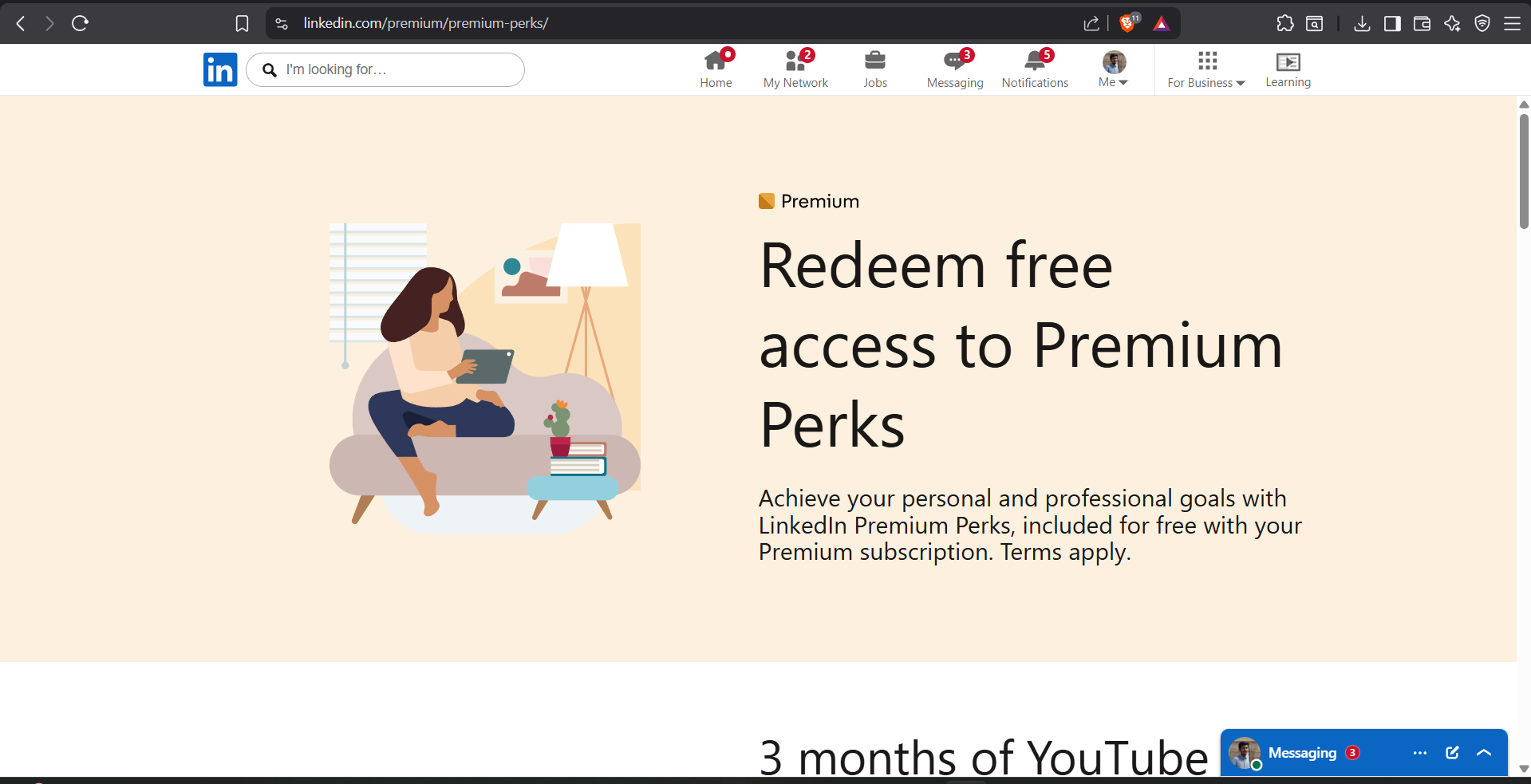
Inside the LinkedIn Premium dashboard, navigate to the partner offers or benefits section where additional rewards are listed.
Find hidden partner offers
Explore productivity rewards
Offers update regularly
Open LinkedIn Premium
Navigate to benefits page
Scroll through partner rewards
3. Find the Lovable Premium Offer
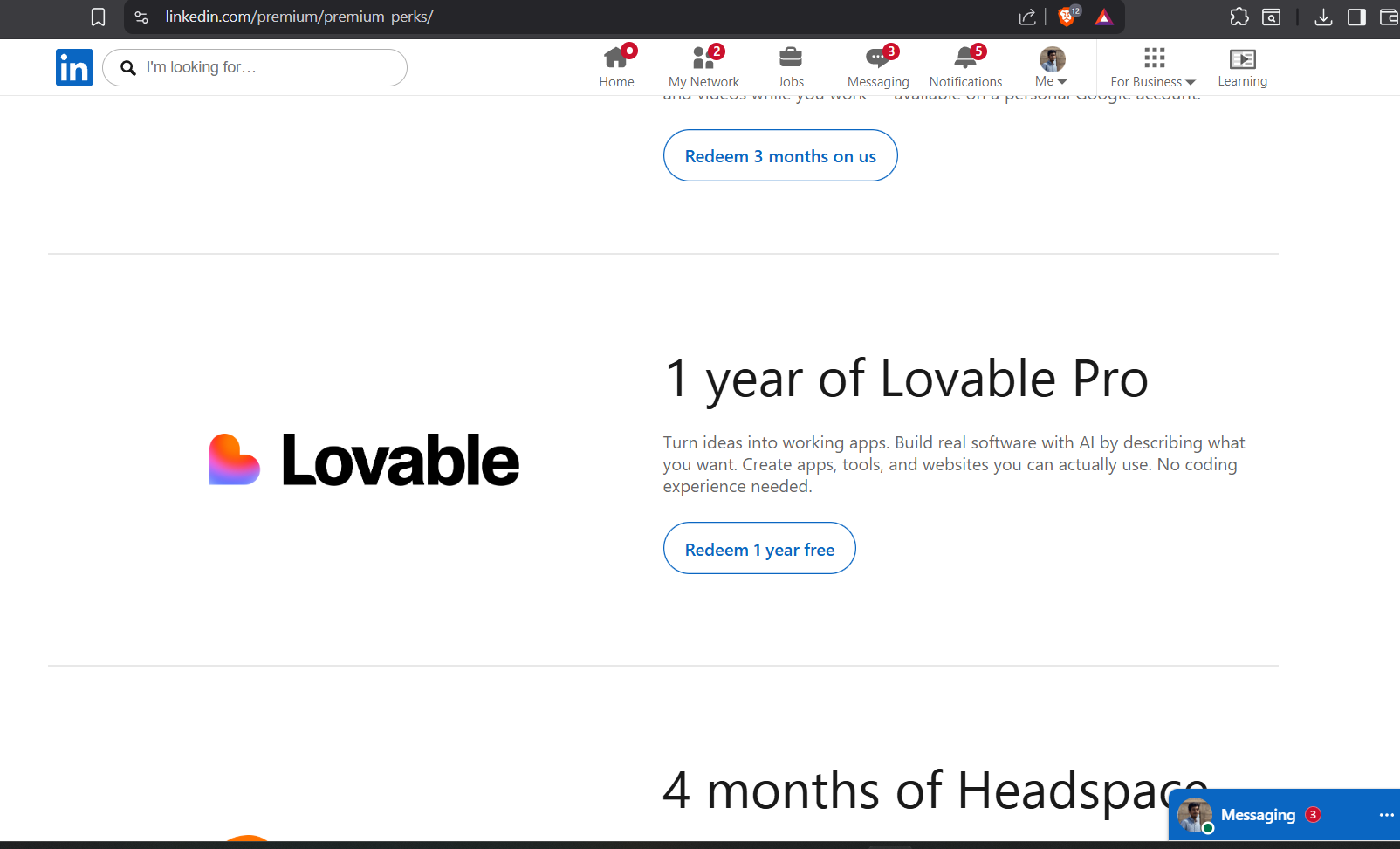
Look for the Lovable AI partner offer inside the benefits section. Some users receive free premium access along with bonus AI credits.
1 year premium access
Free Lovable credits
Exclusive LinkedIn partner offer
Locate Lovable AI offer
Open offer page
Continue to activation
4. Login or Create a Lovable Account
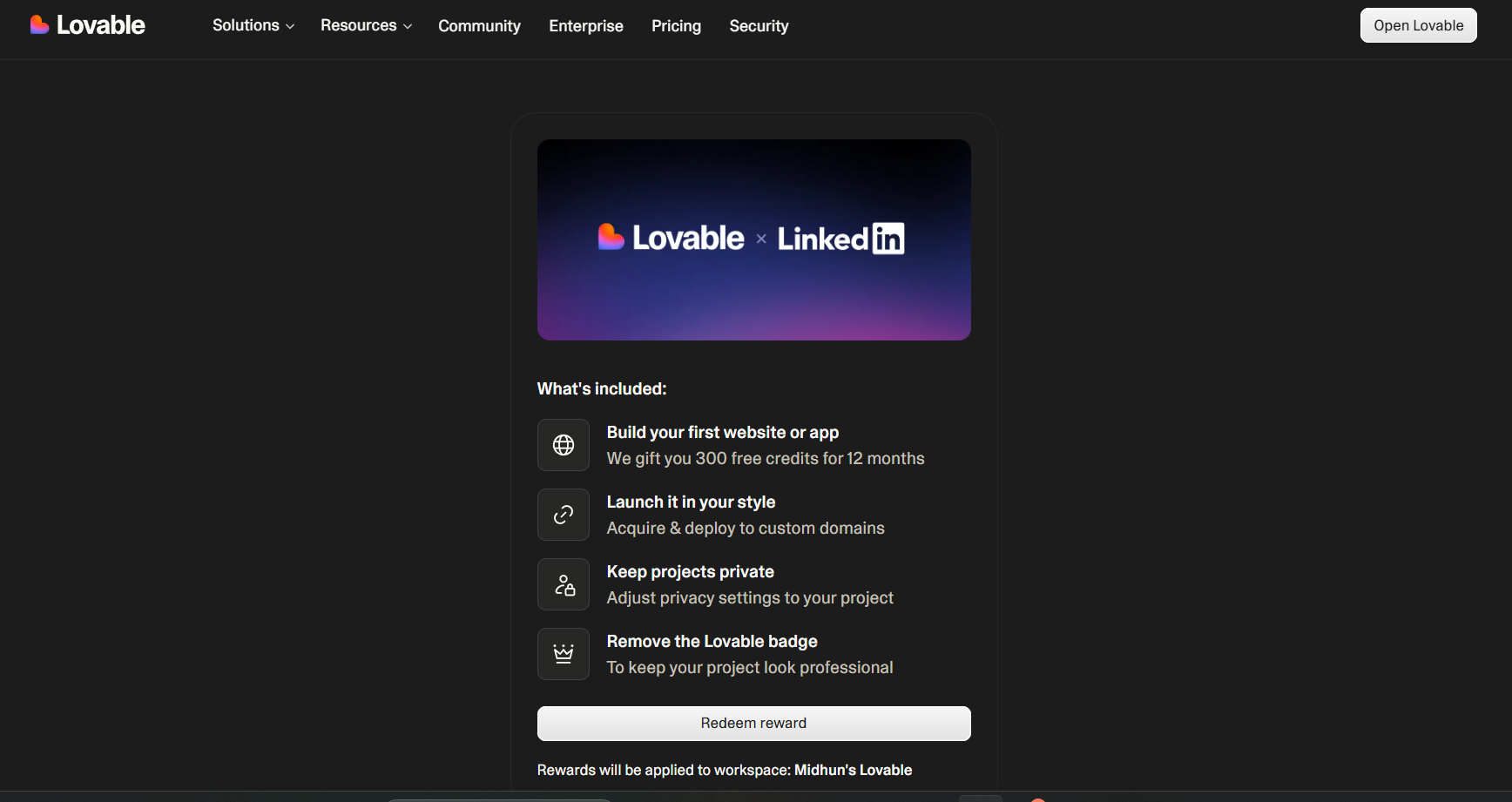
To redeem the offer, login using your existing Lovable account or create a new one.
Use valid email address
Verify account if needed
Complete signup process
Open Lovable website
Login or signup
Continue redemption process
5. Claim Free Premium Credits
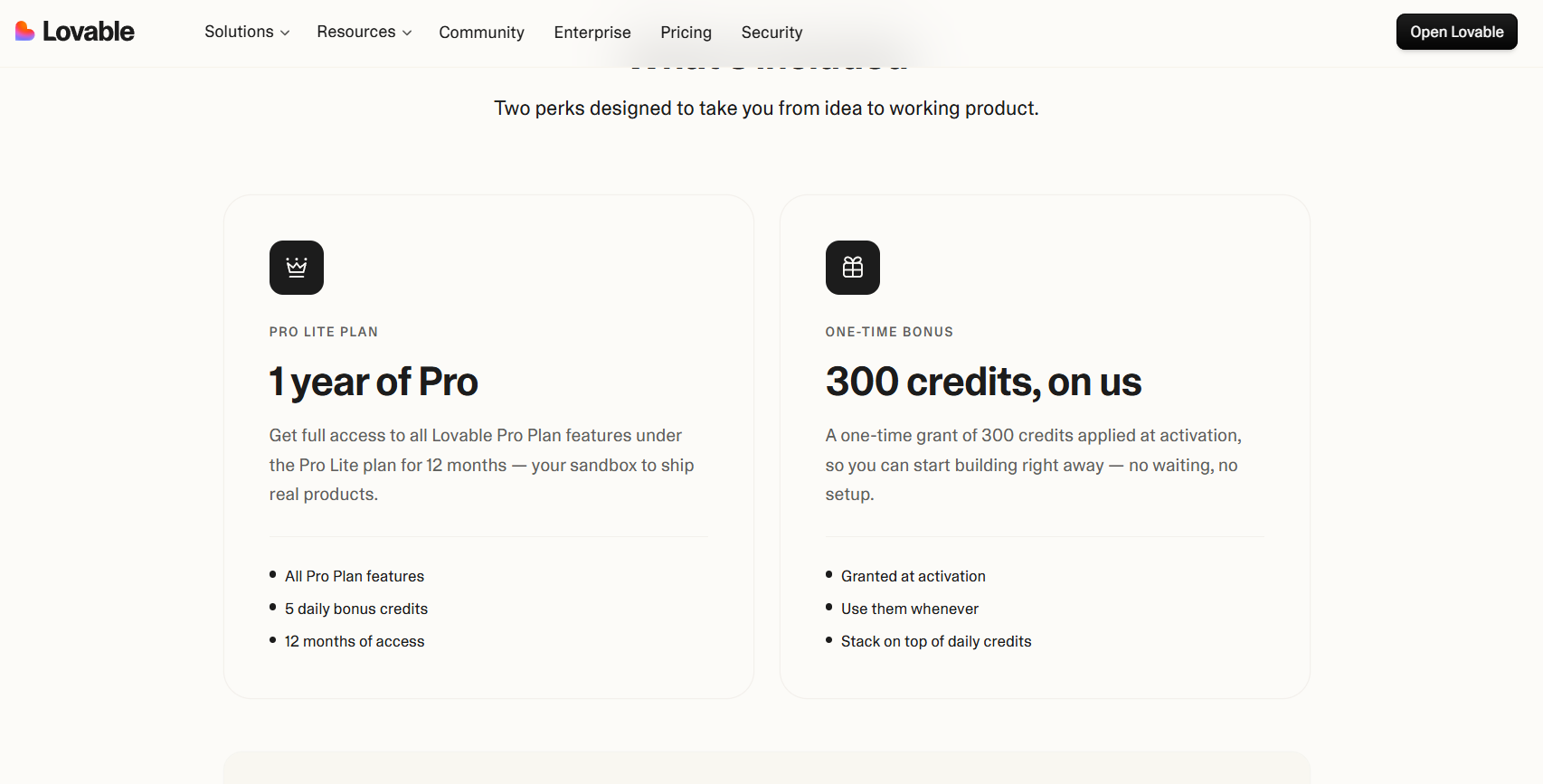
After activation, the free premium credits will be added to your Lovable account automatically if the offer is available.
Credits may vary by account
Premium features unlocked
Check account dashboard
Finish activation
Open Lovable dashboard
Verify premium credits
6. Important Notes About the Offer
LinkedIn partner offers can change anytime depending on promotions, country, or account eligibility. If the Lovable offer is unavailable, check again later because offers rotate frequently.
Offers may expire
Availability differs by region
Check benefits regularly
How to Get LinkedIn Premium for Free Using Airtel & Adobe Express
Many users don’t know that Airtel Thanks provides Adobe Express Premium, and through Adobe partner benefits you can unlock LinkedIn Premium for free. In this guide, we’ll walk through the complete setup process step-by-step.
1. Install Airtel Thanks App
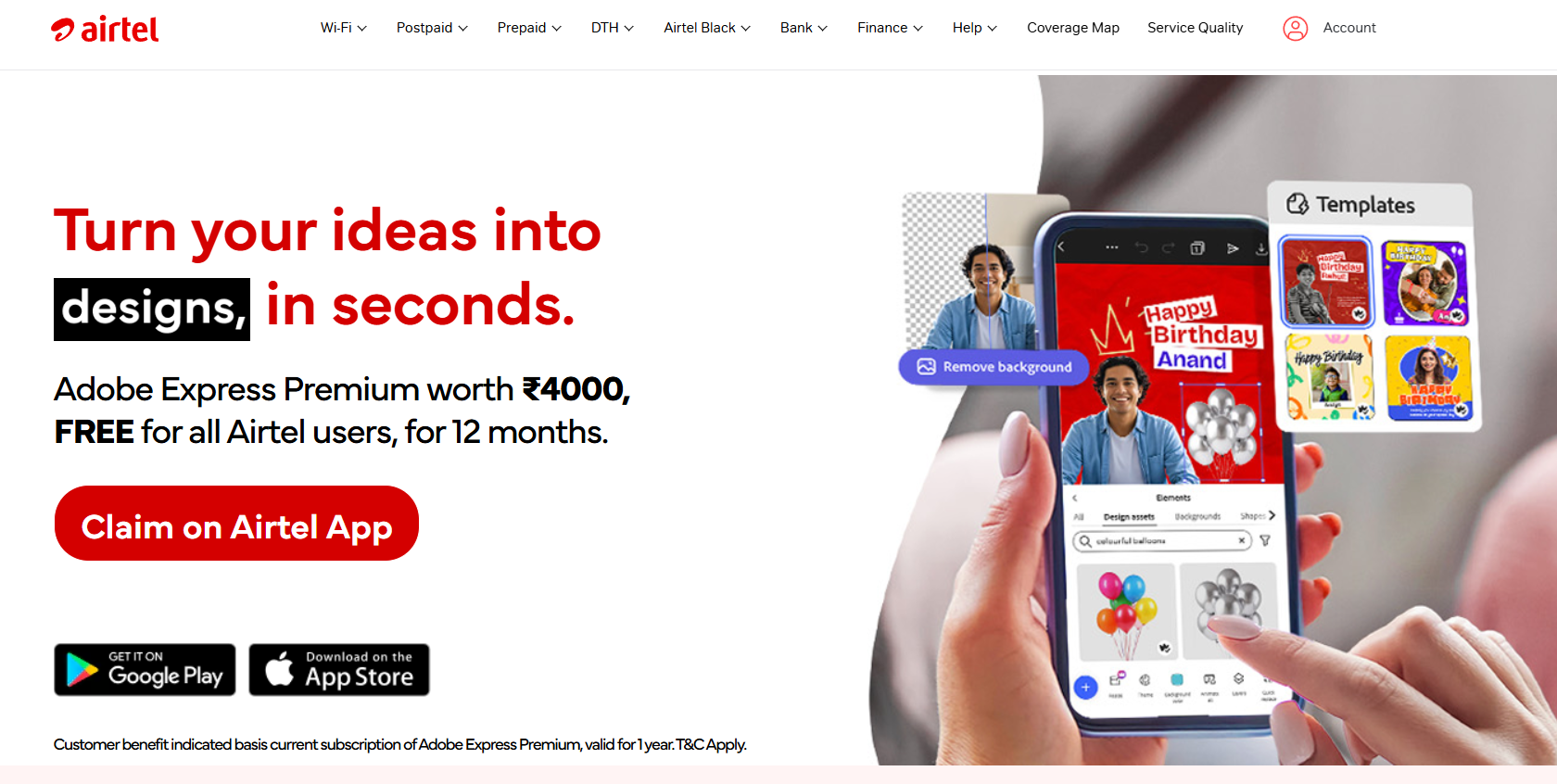
Start by downloading the Airtel Thanks application from the Play Store or App Store. Login using your Airtel number to access rewards and premium offers.
Download Airtel Thanks app
Login with Airtel number
Check rewards eligibility
Open Play Store or App Store
Install Airtel Thanks
Login to your Airtel account
2. Find Adobe Express Premium Offer
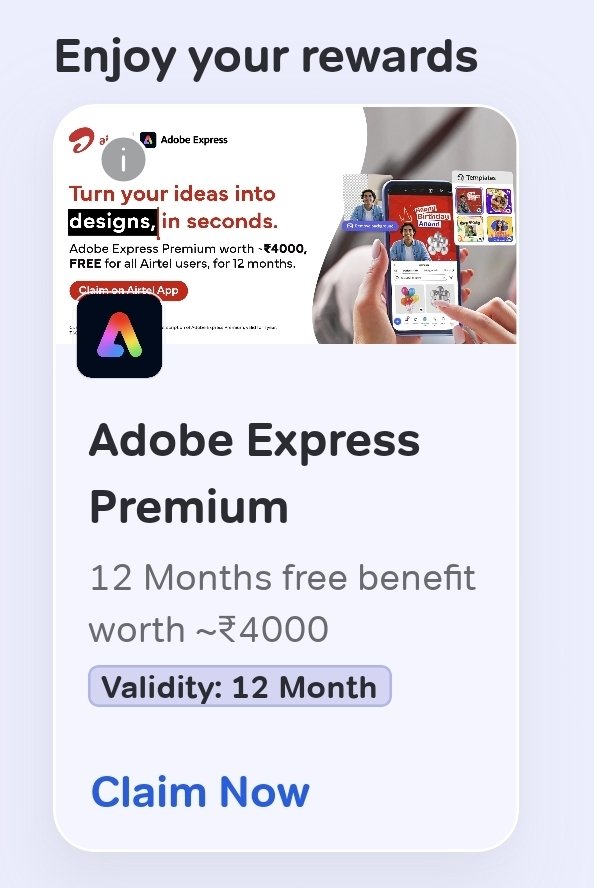
Inside the rewards or benefits section, search for the Adobe Express Premium offer provided by Airtel.
Open rewards section
Find Adobe Express Premium
Check activation availability
Go to rewards tab
Locate Adobe Express offer
Tap redeem
3. Activate Adobe Express Premium
Complete the Adobe Express Premium activation process using your Adobe account.
Create Adobe account if needed
Verify email address
Finish premium activation
Open Adobe activation page
Login or signup
Activate Adobe Express Premium
4. Open Adobe Benefits Section
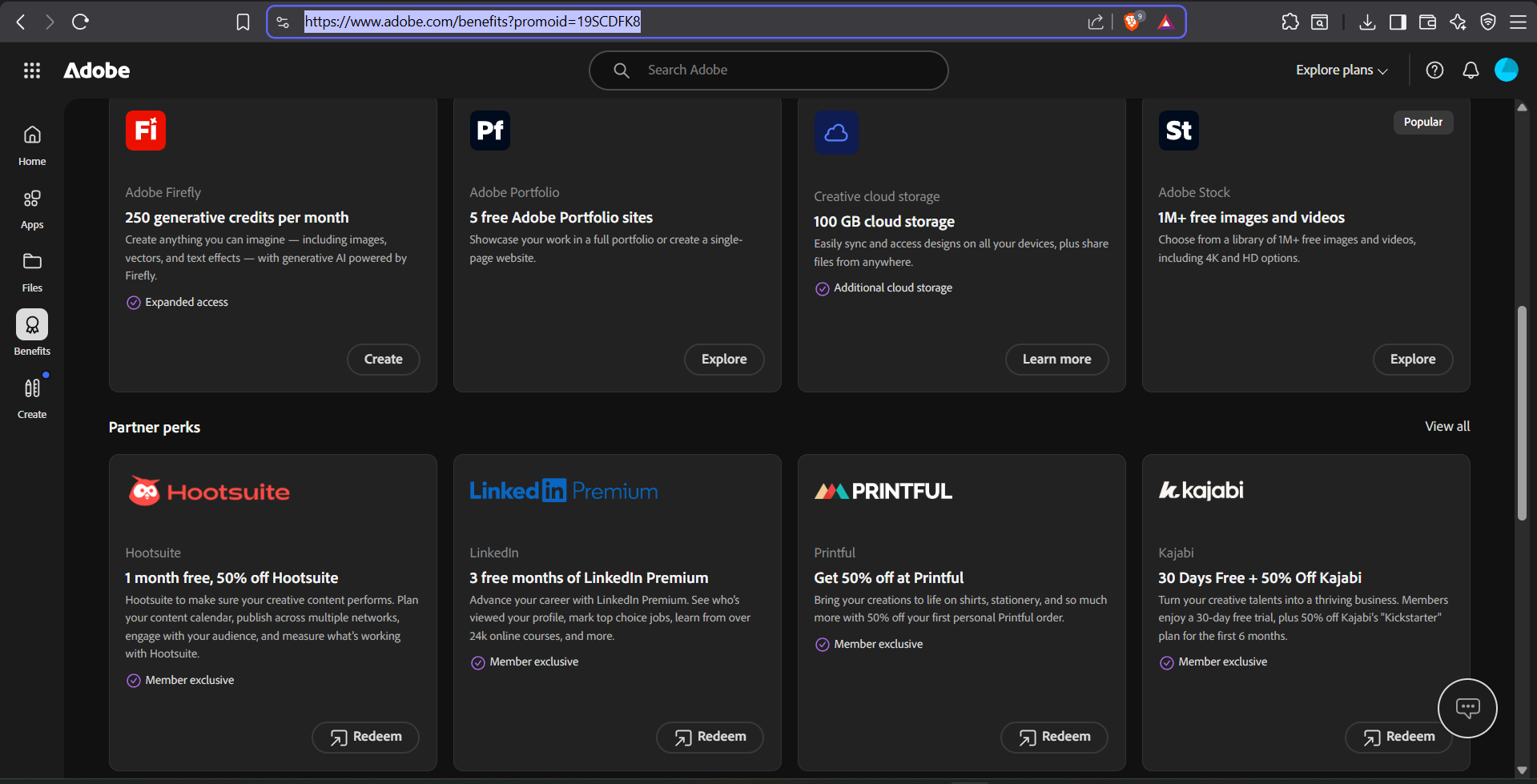
After activation, login to your Adobe account dashboard and check for partner benefits or promotional offers.
Visit Adobe dashboard
Check benefits section
Look for LinkedIn Premium offer
Login to Adobe website
Navigate to account benefits
Find LinkedIn Premium promotion
5. Activate LinkedIn Premium
Click the LinkedIn Premium offer and continue the setup process by logging into your LinkedIn account.
Use your main LinkedIn account
Verify premium trial duration
Continue activation process
Open LinkedIn offer
Login to LinkedIn
Start Premium activation
6. Setup Autopay to Complete Activation
LinkedIn may ask for a payment method to activate the free trial. Add your card or payment method to enable autopay temporarily. You will not be charged during the trial period if canceled before renewal.
Required for trial verification
No payment during active free trial
Cancel anytime before renewal
Add payment method
Enable autopay setup
Complete LinkedIn Premium activation
Cancel subscription before trial ends
7. Enjoy LinkedIn Premium Features
Once activated, you can access LinkedIn Learning, recruiter insights, advanced profile analytics, and networking tools.
LinkedIn Learning access
Recruiter profile insights
Advanced networking tools
Profile viewer analytics
The 2026 Smartphone Buyer's Manifesto: Beyond the Hype
The 2026 Smartphone Buyer's Manifesto: Beyond the Hype
Purchasing a smartphone today is a significant investment. With technical jargon like 'LTPO', 'Nits', and 'Periscope Lenses' being thrown around, how do you choose the right one? Here is the ultimate guide to making an informed decision.
1. The Display: Your Window to the Digital World
Don't just look at resolution. Look for OLED or AMOLED panels for deep blacks and vibrant colors. Refresh rates of 120Hz are now standard for a smooth experience. Also, check the peak brightness—you need at least 1500 nits to see clearly in direct sunlight.
2. Performance: The Brain of the Device
Look for the latest chips from Apple (A-series) or Qualcomm (Snapdragon 8 Series). Ensure you have at least 8GB of RAM for future-proofing. Storage should be a minimum of 256GB, as media files are getting larger.
3. The Camera Narrative
More megapixels don't always mean better photos. Look for sensor size and optical image stabilization (OIS). Digital zoom is often a gimmick; prioritized optical zoom if you take long-range shots.
4. Battery and Ecosystem
A 5000mAh battery is the sweet spot. But check for fast charging speeds—being able to get 50% in 15 minutes is a life-changer.
The Pro Laptop Guide: Performance Meets Portability
The Pro Laptop Guide: Performance Meets Portability
Whether you're a developer, a designer, or a student, your laptop is your primary tool for creation. Choosing the right one determines your productivity for the next 3-5 years.
Windows vs. macOS
It comes down to workflow. macOS is unparalleled for creative professionals and developers who value ecosystem integration and battery life. Windows offers the most flexibility, gaming power, and price-to-performance ratio.
The Specs That Matter
The Processor (CPU)
For basic tasks, an i5 or Ryzen 5 is plenty. For heavy lifting, go for Apple M3/M4, or Intel i7/i9 (14th Gen).
RAM and Storage
16GB of RAM is the new minimum for anything beyond browsing. For storage, always opt for NVMe SSDs over SATA SSDs for lightning-fast boot times and file transfers.
Portability and I/O
Don't overlook weight. A 1.3kg laptop is a joy to carry, while a 2.5kg beast will stay on your desk. Ensure you have at least one Thunderbolt/USB-C port for docking and high-speed peripherals.
AI Revolution: Understanding the Core of Artificial Intelligence
The AI Revolution: Navigating the Landscape of Intelligence
Artificial Intelligence (AI) is no longer a futuristic concept; it's the engine driving the modern world. From the algorithms that recommend your next favorite song to the autonomous systems navigating complex urban environments, AI is everywhere. But what exactly is it, and how does it branch out?
What is AI?
At its core, AI is the simulation of human intelligence processes by machines, especially computer systems. These processes include learning (the acquisition of information and rules for using it), reasoning (using rules to reach approximate or definite conclusions), and self-correction.
The Hierachy of AI Types
1. Narrow AI (Weak AI)
This is the AI we interact with daily. It is designed to perform a singular task—like facial recognition, internet searches, or driving a car. It operates under a limited set of constraints and doesn't possess consciousness.
2. General AI (Strong AI)
This is the theoretical form of AI where a machine has a mental state and can solve any problem that a human can. We aren't there yet, but it's the ultimate goal of many researchers.
3. Super AI
The stage where machine intelligence surpasses human intelligence across all fields—from scientific creativity to general wisdom and social skills.
The Functional Classification
- Reactive Machines: No memory, only react to current scenarios (e.g., Deep Blue).
- Limited Memory: Can use past experiences to inform future decisions (e.g., Self-driving cars).
- Theory of Mind: AI that understands human emotions and beliefs (Theoretical).
- Self-aware AI: Consciousness and self-awareness (Theoretical).
🎨 The Hook Masterclass: 25 Frameworks to Stop the Scroll
The 3-Second War for Attention
In the digital age, attention is the most valuable currency on the planet. You don't have a minute to introduce yourself; you have exactly 3 seconds—roughly 180 frames—to prove you are worth watching. If you fail the hook, the rest of your high-quality content literally doesn't exist to the viewer.
The Biological Basis of the "Stop"
Effective hooks aren't just clever writing; they are biological triggers. As I detailed in my Psychology of the Scroll deep-dive, the human brain is hardwired for survival. By tapping into specific primal instincts, you can bypass the logical "I should keep scrolling" filter:
- The Curiosity Gap (The Zeigarnik Effect): We have an internal need to finish what we start. Opening a loop with "The secret reason why..." creates a mental itch that can only be scratched by watching the full video.
- Loss Aversion (Negative Hooks): "Stop using these 3 hashtags or your account will die." Our brains are 3x more likely to avoid a loss than to seek a gain. This is why "Mistake" style hooks always outperform "Tip" style hooks.
- Instant Credibility (Social Proof): "I gained 10k followers using this [X]." If you prove you have the result, people will listen to the process.
Mastering the "Visual Hook"
Don't rely just on text. A visual hook happens in the first 0.5 seconds. Examples include:
- The "Zoom In" Effect: Instantly breaking the 2D plane creates a sense of movement that triggers the human "tracking" response.
- Color Disruption: Using a color that doesn't exist in the natural scroll (like neon green or high-contrast black/white) breaks the pattern.
- Immediate Action: Starting mid-action or mid-sentence creates a "Cliffhanger" effect. Check out my AI-Driven Video Editing guide to see how to automate these cuts.
25 Battle-Tested Hook Formulas (The Cheat Sheet)
Here are my top 5 most consistent performers. Use these and adapt them to your Content Pillars:
- The Reveal: "Scientists just discovered..." (Adapt to: "Instagram just released...")
- The Cheat: "This AI tool feels illegal to know."
- The Call-Out: "If you are a [Target Audience], stop scrolling."
- The List: "5 Tools I use to run a $10k business solo." (See my AI Stack for inspiration).
- The Transformation: "From [Bad Situation] to [Good Outcome] in 30 days."
Remember, a hook without value is "Clickbait." A hook with value is "Marketing." Ensure your content delivers on the promise of the hook, or you'll see your Mathematics of Virality drop as users bounce quickly.
📐 The Mathematics of Virality: Understanding the Instagram Algorithm in 2026
Beyond the "Like": Deciphering Weighted Engagement
In 2026, the Instagram algorithm has evolved into a hyper-efficient sorting machine. It no longer just tracks what people do, but the velocity of their actions and the Contextual Relevance of their session behavior. To master virality, you must understand the mathematical weight assigned to different user actions and how a single share can trigger an exponential feedback loop.
The Hierarchy of Signals: Numerical Weights
Instagram's recommendation engine uses a scoring system that prioritizes utility over vanity. While those exact coefficients are guarded secrets, reverse-engineering via high-volume data analysis gives us these approximate weights:
- Shares (Weight: ~15x): The ultimate signal. A share indicates that your content acts as a "Social Currency." When a user sends your AI Stack guide to a friend, they are effectively staking their own reputation on your quality. This triggers the "Viral Multiplier."
- Saves (Weight: ~10x): Represents specific utility. Saves tell the algorithm that your post is a "Reference Asset." This is why educational content like the Android Hidden Codes always has long-term shelf life.
- Watch Time / Retention Rate (Weight: ~8x): If a user watches a 60-second reel 1.5 times, your retention score is 150%. This "Artificial Inflation" of watch time is the goal of every master creator. This is where The Hook Masterclass techniques become critical to stopping the 3-second churn.
- Meaningful Comments (Weight: ~5x): Comments over 4 words that contain keywords related to your niche. Short emojis are often discounted as "low-intent" signals.
- Likes (Weight: 1x): The "pity click." It is the easiest action to take and thus rewards the creator the least.
The "Standard Deviation" Test
When you publish, Instagram doesn't push your content to everyone. It pushes to a "Seed Group" (usually 10% of your audience + 2% non-followers). The algorithm measures the engagement rate against your historical average. If your "Mathematics of Virality" exceeds your average by 1.5 Standard Deviations, the gate opens to the global Explore feed.
Case Study: The 110% Retention Strategy
I recently analyzed a Reel that went from 10k to 1M views in 72 hours. The secret? A "Visual Möbius Strip." The end of the video transitioned seamlessly into the start of the video. Users didn't realize the video had ended until they were 10 seconds into the second loop. This trick mathematically doubles your watch time, sending a "High Interest" shockwave to the recommendation server.
Technical Workflow for Optimization
To mathematically optimize your content, you should use the Content Pillars method to ensure you aren't confusing the engine. If one day you post about Indian Classical Music and the next about MERN stack development, you dilute your niche score, making it harder for the algorithm to "place" your content in the right mathematical cluster.
💰 AI-Powered Personal Finance: Managing Your Creator Wealth
Beyond the Paycheck: Building Wealth
Making money as a creator is Phase 1. Keeping it and growing it is Phase 2. In 2026, AI tools can help automate your tax calculations, portfolio balancing, and even your "Monetization Architecture" reinvestment strategies.
Automated Expense Tracking
Feed your bank statements into a private, local LLM to automatically categorize business expenses for tax deductions (like your AI Stack subscriptions or camera gear). This saves thousands in professional accounting fees.
Calculating Your Creator "Burn Rate"
Treat your brand like a startup. Track your monthly "burn" (software, gear, hosting) vs. your revenue from Growth Sessions and digital products. If your revenue doesn't cover your burn, you need to revisit your Creator Economy Framework funnel.
Diversification of Income
Don't rely just on brand deals. Build multiple technical assets—like a MERN-based utility tool or an automated newsletter—that generate income independent of your presence on social media. This is ultimate financial freedom for a creator.
🛡️ Data Privacy & Security: Protecting Your Digital Identity
The Vulnerable Creator
As your brand grows, you become a target. Hackers, scammers, and identity thieves look for creators with large audiences to hold accounts for ransom or steal financial data. Protecting your Android device and your MERN website is a business requirement, not an option.
Hardening Your Accounts
- The Dialer Secret: Use the Ultimate Android Codes like ##002# to ensure your calls haven't been secretly diverted to a hacker.
- Credential Hygiene: Never use the same password twice. Use a physical security key (like a YubiKey) for your primary Gmail and Instagram accounts.
- Custom Site Security: If you're building a custom site, ensure you're using modern authentication protocols (JWT, BCCRYPT, and SSL) to protect your users' data in MongoDB.
Scam Detection in 2026
Deepfake technology means scammers can now "call" you using the face and voice of someone you trust. Always verify through a second, independent channel before transferring funds or sharing access. See the AI Voice Generation guide to understand how easy it is to fake a voice.
📈 The 1% Rule: The Compounding Effect of Technical Knowledge
The Mathematics of Mastery
If you improve your skills by 1% every day for a year, you will be 37 times better by the end of it. This isn't motivation; it's exponential math. In the fast-moving worlds of AI and Content Creation, consistency is the only sustainable competitive advantage.
Learning "The Hard Things"
Most creators stop at "how to edit a reel." If you go further and learn MERN Stack development or Technical SEO, you enter a "Blue Ocean" where competition is non-existent. The 1% rule applies most powerfully to technical compounding.
Iterative Testing
Don't wait for your Content Pillars to be perfect. Start today. Analyze the Mathematics of your Virality, fix the weakest link in your Hook Masterclass frameworks, and try again tomorrow. Each iteration is a 1% improvement.
The Power of compounding Trust
Every small, high-quality guide you release builds your "Trust Balance." It takes months of 1% improvements to become an "overnight success." As detailed in the About page, consistency is the bedrock of authority.
⚡ Workflow Automation: Connecting Zapier, ChatGPT, and Social Media
The Automated Creator Machine
Efficiency isn't about working harder; it's about building systems that work without you. By connecting your AI Stack tools via automation platforms like Zapier or Make.com, you can reclaim 20+ hours of your week.
The Multi-Channel Distribution Loop
- Trigger: You publish an Instagram Reel.
- AI Action: ChatGPT automatically writes a blog post and a Twitter/X thread based on your script.
- Distribution: The automation automatically schedules the content across your MERN website and social profiles.
Automating Inbound Leads
When someone comments a specific keyword on your post, you can trigger an automated DM that sends them to your Free Resources or Growth Session booking page. This is the backbone of "Monetization Architecture."
AI Transcription for Content Mining
Automatically transcribe every Zoom call or Consultation (with permission) using tools like tl;dv and feed the data into a custom GPT. This AI now knows your unique insights and can generate future content that sounds exactly like you, maintaining your brand's Philosophy.
🌐 The Future of Search: How LLMs are Replacing Traditional Browsing
The Death of the "Blue Link"
For twenty years, searching meant entering a keyword and clicking links. In 2026, searching means having a conversation. Tools like Perplexity and Grok (discussed in our Ultimate AI Stack) are fundamentally changing how users find information, and this has massive implications for creators.
Answer Engine Optimization (AEO)
Traditional SEO is about ranking for keywords. AEO is about being the "Final Answer." LLMs don't want a list; they want a synthesized response. If your content (like the Instagram Growth Guides) is structured with direct, high-value answers, AI models are more likely to reference your data as the authoritative source.
The End of SEO Manipulation?
You can't "trick" an LLM with hidden keywords. It reads for context and value. This is why deep-form content (like this 1,000-word deep dive) is the only way to win in the long run. The algorithm now rewards depth over density.
Hyper-Personalized Search
Search results in 2026 are increasingly personalized based on your "Digital ID." If you've been searching for MERN stack tutorials, your AI assistant will prioritize tech-focused growth tips over generic advice. This is the ultimate "curiosity gap" closer.
🧱 Content Pillars 101: How to Never Run Out of Ideas
The Cure for Creator's Block
Most people stop posting because they "don't know what to post today." Content Pillars solve this by categorizing your knowledge into 3-4 distinct themes. You don't need a thousand ideas; you need four pillars and a thousand variations.
The 4 Mandatory Pillars
- Educational (Authority): Deep-dives, "How-to" guides, and technical breakdowns (like my Android Codes Guide).
- Inspirational (Bonding): Your journey, your failures, and your philosophy (covered in my About page).
- Entertaining (Retention): Relatable memes, fast-paced transitions, and high-energy hooks (see the Hook Masterclass).
- Promotional (Business): Showcasing your results, case studies, and services (like Growth Sessions).
The "Pillar Deconstruction" Method
Take one long-form guide (like this 1,000-word article) and deconstruct it into 5 separate Reels. One reel could cover the hook, another the case study, and another the technical tip. One piece of "Deep Research" (using Perplexity or Grok) can fuel your content calendar for an entire month.
Data-Driven Ideation
Use your Instagram Insights to see which pillar performs best. If "Educational" posts get the most shares (the highest mathematical signal, as seen in Algorithm Math), lean $80 %$ into that pillar and fix the others.
🖼️ AI Image Generation Mastery: Midjourney vs DALL-E 3
Visual Identity in the Age of Synthesis
A professional brand needs a consistent visual language. In the past, this required a graphic designer. Now, it requires a "Prompt Engineer." Midjourney and DALL-E 3 are the industry leaders, but they serve very different purposes.
Midjourney: The Artist's Choice
Midjourney is unparalleled for aesthetic quality, lighting, and texture. If you need a "premium" look for your Instagram Reels or website Hero section, Midjourney is the tool. It requires more "technical" prompting (stylize codes, aspect ratios) but the results are breathtaking.
DALL-E 3: The Strategist's Choice
DALL-E 3 (inside ChatGPT) is better at following complex logic and rendering text. It is the perfect tool for creating Animated Gmail Logos or conceptual diagrams where precision matters more than artistic flair.
The Hybrid Workflow
Use ChatGPT to brainstorm the concept and initial prompt, then move to Midjourney for the final high-resolution render. This combined approach, part of the Ultimate AI Stack, ensures your brand visuals are both logically sound and visually stunning.
🔍 SEO for Creators: Ranking Your Brand on Google Search
The Invisible Traffic Stream
Most creators ignore Google because social media provides instant gratification. However, social media traffic dies after 48 hours. SEO traffic grows forever. If you want sustainable growth, you must optimize your digital footprint for search engines.
Keywords vs. Topics
Don't just write about "Instagram." Write about specific, high-intent keywords like "How to fix Instagram shadowban 2026" or "Best AI tools for Gen Z video editing." By targeting these direct queries, you find users who are actively looking for solutions.
Technical SEO for Personal Websites
If you're using my MERN stack blueprint, ensure your site has:
- Server Side Rendering (SSR): Critical for search engines like Google to crawl your content effectively.
- Fine-tuned Metadata: Every resource needs a unique title tag and meta description to improve click-through rates.
- Schema Markup: Use structured data to tell Google exactly what your resources are (Articles, FAQs, etc.).
Cross-Platform SEO
Your Instagram bio and captions are also searchable. Use relevant keywords in your bio (as taught in the Instagram Account Setup Guide) to show up when people search for "Growth Expert" or "AI Specialist" directly in the Instagram search bar.
💰 Monetization Architecture: Funnels that Sell While You Sleep
The Shift from Active to Passive Income
Active income is trading hours for dollars. Passive income is building a machine that manufactures trust and sales autonomously. To achieve this, you need a multi-layered monetization funnel.
Phase 1: The Magnets (Free Value)
Give away your best secrets for free. Use "Lead Magnets" like my Prompt Engineering Cheat Sheet or Instagram Growth Guides to build initial trust. This proves you know your craft.
Phase 2: The Tripwire (Low-Ticket)
A ₹499 - ₹999 digital product that solves a specific, narrow problem. This transitions a follower into a "buyer." This psychological shift is massive; once they've paid you once, the friction for future purchases drops by 80%.
Phase 3: The Flagship (High-Ticket)
This is your core offering. It could be a 1:1 strategy session (check out my 1:1 Growth Sessions) or a premium cohort. This is where you provide the most transformation.
Automation with AI
Use tools like Zapier and ChatGPT to automate the delivery of these products. When someone books a session, the AI can pre-analyze their Instagram profile based on the data they provided, sending you a summary before the call even starts. This is the AI Stack in action.
💻 Building a Personal Brand with MERN: Why Creators Need Custom Websites
The Platform Risk: Why Instagram Isn't Enough
Relying solely on social media is like building a house on rented land. If the algorithm changes or your account is disabled, your business disappears. A custom website built with the MERN stack (MongoDB, Express, React, Node.js) gives you total ownership of your data, your audience, and your brand.
Why the MERN Stack?
For creators, speed and scalability are key. React allows for incredibly fast, dynamic UIs (like the one you're using now), while Node and MongoDB handle large amounts of user data easily. As I mentioned in the Creator Economy Framework, your website is the engine that converts passive followers into paid customers.
Features Every Creator Site Needs
- Resource Hub: A central place for your high-value guides (like this Resources section).
- Booking System: Direct integration for paid sessions (see my Growth Sessions implementation).
- SEO-Friendly Blog: Use a headless CMS or direct MDX to rank for technical keywords (discussed in my SEO for Creators guide).
Mastering the Full-Stack Journey
You don't need to be a senior engineer to start. By understanding the basics of how the "Content Engine" works on the backend, you can architect tools that automate your business. This is the difference between a "sharer" and a "builder."
🏗️ The Creator Economy Framework: 1,000 Followers to 1,000 Fans
The Fallacy of Big Numbers
Most creators chase follower counts. But followings are temporary; communities are permanent. Kevin Kelly’s "1,000 True Fans" theory is more relevant today than ever. You don't need a million followers to build a business; you need 1,000 people who will buy anything you create.
The Funnel Architecture
To move from a creator to a business owner, you need a funnel. Instagram is the Top of Funnel (Awareness). Your website (ideally built with a MERN stack blueprint) is your Convertor (Trust). And your email list or community is your Retention (Loyalty).
Monetization Strategy
- Low-Ticket: Digital products under ₹999. Great for testing the market. See my Instagram Tricks for Engagement to see how to drive traffic to these.
- Mid-Ticket: 1:1 Consultations or cohorts. This is where you trade time for high value (e.g., my Growth Sessions).
- High-Ticket: Done-for-you services or long-term mentorship.
Consistency as a Trust Signal
Your followers are watching to see if you show up. Every time you post a high-value guide (like the ones in my Resources section), you deposit a "Trust Coin" into their mental bank. Once the balance is high enough, they become a customer for life.
🧠 Psychology of the Scroll: Why We Can't Look Away
Variable Reward: The Slot Machine in Your Pocket
Why do we spend hours on Instagram without realizing it? It's not an accident; it's by design. The "Infinite Scroll" is modeled after the psychology of a slot machine, utilizing a principle called Variable Ratio Reinforcement.
The Dopamine Loop
When you scroll, you don't know if the next video will be a boring advertisement or the funniest reel you've ever seen. This uncertainty creates a dopamine spike. Your brain craves the "win" of a good video, so it keeps you scrolling to find it. As a creator, if you can become the "win" consistently, you win the game of the algorithm. This ties directly into my guide on The Mathematics of Virality.
Cognitive Ease vs. Cognitive Load
Great creators minimize "Cognitive Load." If your video is confusing, has bad lighting, or poorly synced text, the brain has to work too hard to understand it. This causes the user to scroll past. High-quality production (using the tools in my AI Stack) ensures "Cognitive Ease," allowing the viewer to absorb your message without friction.
The Mirror Neuron Effect
Humans are social creatures. When we see a face on a screen expressing an emotion, our "mirror neurons" fire, making us feel that same emotion. This is why "talking head" videos with high eye contact perform so well. You aren't just sharing information; you are creating a biological connection.
🤖 How AI is Revolutionizing Video Editing for Gen Z
The Demise of Manual Labor in Post-Production
Video editing used to be a barrier to entry. If you didn't know Premiere Pro or After Effects, you couldn't compete. Today, AI has democratized high-end production, allowing a creator with a smartphone to rival a Hollywood studio's output.
The Era of Generative B-Roll
One of the biggest challenges for creators is finding visual metaphors. With tools like Kling AI (which I mentioned in the AI Stack guide), you can generate high-definition B-roll from a simple text prompt. No more searching through stock footage libraries for hours.
AI-Power Scripting and Pacing
Retaining an audience requires perfect pacing. AI tools can now automatically detect "dead air" in your speech and remove it, creating the fast-paced "jump-cut" style that Gen Z prefers. More importantly, LLMs like ChatGPT can analyze your script for "boredom points"—sections where the language becomes too dense or slow—and suggest psychological hooks to keep the viewer engaged.
Real-time Translation and Dubbing
The next frontier is global reach. Creators can now record in Hindi and use AI to perfectly dub their voice into English/Spanish with matching lip-sync. This expands your potential audience from millions to billions overnight. For more on the tools enabling this, see my Resource on AI Voice Generation.
📱 Ultimate Android Hidden Codes: Privacy & Security
Unlock the Hidden Power of Your Phone
Use these secret dialer codes to run hardware diagnostics and secure your device against trackers.
The Safety & Security Trio
- *#06#: Displays your IMEI. Vital for blocking your device if stolen.
- ##002#: Disables all Call Forwarding instantly. Stops hackers from diverting your calls.
- *#61#: Checks if your missed calls are being secretly forwarded.
Hardware & Diagnostics
- *#0*#: The "Samsung Tester." Vital when buying second-hand phones to test pixels and touch.
- *#07#: Displays SAR value. Check if your phone's radiation levels are within safe limits.
- *#0228#: Access precise battery voltage and calibration settings.
Warning
Some codes are brand-specific (Samsung/Xiaomi). Always use with caution when altering network/battery settings.
💡 Top 6 Instagram Tricks for Creators
Master the Instagram Ecosystem
These hidden features and workarounds will help you maintain privacy while boosting your professional aesthetics.
1. Turn Off Read Receipts
Available in the latest update: Settings > Messages and Story Replies > Show Read Receipts > OFF. Read DMs without the "Seen" tag.
2. Hidden Hashtag Trick
Keep your captions clean by adding 5 vertical dots below your text or putting hashtags in the first comment. This maintains reach while looking premium.
3. Engagement Boost via 'Close Friends'
Post a story with a poll/question sticker and target your 'Close Friends' list. High interaction rates here signal the algorithm that your content is high-value.
4. Silent Story Upload
Upload stories on Airplane Mode, close the app, and then turn data back on. This gives you better control over engagement timing.
📱 Instagram Account Setup Guide + Growth Strategy
Part 1: Professional Account Setup
If you want to grow, the first thing you must fix is your account structure. Most people fail because of a messy setup, not bad content.
1. Choose a Clean Username
Your username should be simple, searchable, and memorable. Avoid underscores and numbers where possible (e.g., sameer.social is better than sameer_786_official).
2. Switch to Professional Mode
Go to Settings > Account > Switch to Professional Account. This unlocks essential analytics and creator tools.
3. SEO Your Bio
- Line 1: Your unique value prop.
- Line 2: Social proof or credential.
- Line 3: Clear Call to Action (CTA).
Part 2: The Pre-Posting Strategy
Before you upload your first reel, you must prime the algorithm to understand your niche.
Warm Up the Algorithm
- Follow 10-12 top creators in your exact niche.
- Engage deeply in their comment sections with meaningful contributions (not just emojis).
- When people reply to you, engage back. This builds "Profile Visit" signals.
Once Instagram sees your profile attracting visits from a specific audience, your first Reel will be pushed directly to them.
☁️ Guide: Sharing Google One & Gemini Advanced with Family
Maximize Your Subscription Value
You can share your 2TB storage and Gemini Advanced AI features with up to 5 family members at no additional cost. Here is exactly how to set it up.
Technical Setup Process
- Open Google One Settings in your app.
- Tap Manage Family Settings.
- Toggle "Share Google One with family" to ON.
- Add the Gmail addresses of your members.
Important Privacy Notes
Sharing storage does not mean sharing files. Each person gets their own private space; you cannot see their photos or emails, and they cannot see yours.
Tutorial Videos:
📝 Ultimate Prompt Engineering Cheat Sheet
Mastering the Command Line of AI
Most people type a vague request into ChatGPT, Claude, or Gemini and accept whatever comes back. The difference between a mediocre answer and a genuinely useful one is rarely the model — it is the instruction. Treating prompts like shorthand "commands" lets you control the style, depth, and tone of any response in a single word, so you stop re-explaining yourself every time.
The shortcuts below are custom triggers you define once. Paste the legend into your AI's custom-instructions or memory setting (in ChatGPT: Settings → Personalization → Custom Instructions), tell it "when I use these codes, respond accordingly," and from then on a single token reshapes the entire reply.
Explanation Shortcuts
- /eli5: Extreme simplicity (Explain Like I'm Five) — strips jargon and uses plain language.
- /human: Removes the robotic, list-heavy tone for natural, conversational language.
- /deep: Comprehensive, technical breakdowns with edge cases and trade-offs.
- /analogy: Explains an unfamiliar concept via a familiar real-world comparison.
Writing & Creation
- /genz: Trendy, social-media-ready phrasing for captions and short-form.
- /hook: Focuses output on attention-grabbing first lines that stop the scroll.
- /script: Produces a full YouTube/Reel video architecture — hook, body, CTA.
- /rewrite: Keeps your meaning but tightens, clarifies, and varies the rhythm.
Productivity
- /check: Advanced proofreading — hunts grammar, logic, and consistency mistakes.
- /roadmap: Converts a fuzzy idea into a step-by-step, time-boxed timeline.
- /tldr: Compresses a long document into the three points that actually matter.
The Three Rules That Make Any Prompt Better
Shortcuts are leverage, but they sit on top of fundamentals. Whatever you ask, apply these:
- Give it a role. "Act as a senior copywriter reviewing a draft" beats "fix my text" — a role loads relevant context automatically.
- Show the format you want. Ask for a table, five bullet points, or a 100-word paragraph. Ambiguity is where bad output comes from.
- Give one example. A single sample of the tone or structure you're after ("like this: …") is worth a paragraph of description.
Worked example: Instead of "write an Instagram caption," try: "/hook /genz — Act as a creator in the tech niche. Write three caption options for a Reel about saving time with AI tools. Each under 120 characters, ending with a question." The same model, a far better result.
Save this legend once and your AI stops guessing what you meant. The goal of prompt engineering isn't memorizing tricks — it's removing ambiguity so the model spends its effort on your problem instead of decoding your request.
🧠 Verification-First AI: The ChatGPT God Mode Prompt
Stop AI Hallucinations Forever
By default, large language models are trained to be helpful, and helpfulness is not the same thing as accuracy. When a model isn't sure, its instinct is to produce a confident, fluent answer anyway — which is exactly how "hallucinations" happen. The fix isn't a better model; it's changing the instructions it operates under so accuracy outranks helpfulness.
This "Verification-First" custom instruction forces ChatGPT to audit its own reasoning before it answers, and to admit uncertainty instead of inventing detail.
How to Set It Up
- Go to Settings > Personalization.
- Open Custom Instructions.
- In the "How should ChatGPT respond?" section, paste the prompt below and save.
Why Each Line Matters
- "Accuracy must be the highest priority" reweights the model's goal away from sounding pleasing and toward being correct.
- "Do not generate unverified facts" discourages it from filling gaps with plausible-sounding invention.
- "Clearly state the uncertainty" gives it explicit permission to say "I'm not sure" — something default settings quietly punish.
- "Explain step-by-step" triggers chain-of-thought reasoning, which measurably reduces logic and math errors.
When to Use It — and Its Limits
Turn this on for research, factual writing, calculations, and anything you'll publish or act on. You may want to switch it off for pure brainstorming or creative writing, where a little speculation is the point.
One honest caveat: this prompt dramatically reduces hallucinations, but it does not eliminate them. The model can still cite a source that doesn't exist or be confidently wrong. Treat it as a strong seatbelt, not a guarantee — always click through the sources it provides for anything that matters.
Take It Further
For high-stakes questions, add a second pass: after the answer, ask "Now critique your own response — what could be wrong, and what would you need to verify?" Forcing the model to argue against itself surfaces weak claims that the first answer glossed over. Combine the standing instruction with this habit and you'll get output you can actually trust.
🚀 AI Stack to Start & Scale Your Business
The Solopreneur's AI Ecosystem
Scaling a business no longer requires a large team. A single founder can now handle research, content, operations, and marketing by stitching together a handful of AI tools — each one replacing a task that used to need a specialist. The trick is not collecting tools; it's knowing which job each one does and how they hand work to each other.
Below is a lean stack organized by function. You don't need all of them on day one — start with one tool per stage, learn it well, and add the next only when a real bottleneck appears.
1. Intelligence & Research
- Grok (X): Real-time information access tied to live conversations. grok.x.ai
- Perplexity AI: The ultimate citation-based search engine — every claim links to a source you can verify. perplexity.ai
2. Content & Media
- Gamma: Best-in-class AI presentation and pitch-deck generator. gamma.app
- ElevenLabs: The gold standard for natural AI voiceovers. elevenlabs.io
- Kling AI: High-fidelity AI video generation for B-roll and concepts. klingai.com
3. Operations & Social
- tl;dv: Intelligent meeting recordings and summaries with action items. tldv.io
- Typefully: Writing, scheduling, and analytics for social posts. typefully.com
How the Stack Works Together
Tools only create leverage when they form a chain. Here's a realistic content-to-cash workflow a solo founder can run in an afternoon:
- Research a topic in Perplexity and pull cited facts you can stand behind.
- Draft the angle and outline with your AI assistant, then refine the hook.
- Produce the asset — a deck in Gamma, a voiceover in ElevenLabs, or visuals in Kling.
- Distribute by scheduling the post in Typefully and repurposing it across platforms.
- Follow up on any sales call using tl;dv's summary so nothing slips.
A Note on Cost and Discipline
Most of these tools offer a free tier that is enough to validate whether they fit your workflow. Resist the urge to subscribe to all of them at once — stacked monthly fees quietly become a real expense before you've earned a rupee. Pay for a tool only when you can name the specific hour it saves you each week.
The real advantage isn't any single app; it's the operating system you build around them. Pick one tool per stage, connect them into a repeatable routine, and you'll out-produce teams ten times your size.
🎬 Animated Gmail Logo: Step-by-Step Guide
The Secret to an Animated Gmail Profile
Ever wanted a profile picture that moves? With current AI tools, creating a professional animated logo for your Gmail or professional profiles is easier than ever.
🥇 Step 1: Generate your Core Logo
Use ChatGPT (DALL-E), Gemini, or Midjourney. Target Prompt: "Create a modern minimal text logo with my name in bold red-orange gradient color on a clean white background."
🥈 Step 2: Extract the Animation Prompt
Upload your static logo to ChatGPT and ask it for a looping animation prompt. Example: "Create a smooth, seamless looping animation of this logo with a subtle glow and breathing effect."
🥉 Step 3: Animate in Gemini
Upload both your logo and the animation prompt to Google Gemini. Gemini will generate a 3-4 second looping MP4 video for you.
🏅 Step 4: Video to GIF Conversion
Gmail requires a GIF format for animation. Use EZGif to convert your video. Ensure the resolution is high but the file size is optimized.
🏁 Step 5: Upload to Google Account
Go to your Google Account "Personal Info" section and change your profile picture to the new GIF. Done!
Steps to Generate AI Voice Using ElevenLabs
🎙️ STEPS TO GENERATE AI VOICE
STEP 1
Open ElevenLabs
STEP 2
Click on the Sign Up option
STEP 3
Open Temp Mail in another tab and copy the temporary mail shown there
STEP 4
Now open the ElevenLabs tab, create the account using the copied mail from Temp Mail and click on Sign Up
STEP 5
Open Temp Mail and click on the verification mail
STEP 6
Click on the Verify link
STEP 7
Now your ElevenLabs account is created, login using the temporary mail
⚠️ NOTE
When the 10,000 ElevenLabs credits are finished, repeat the same process using Temp Mail to create a new account. You can create multiple accounts.
CapCut iPhone Installation Method
Open the App Store on your iPhone.
Tap your Profile icon (top-right corner).
Tap your Apple ID name.
Select Country & Region.
Tap Change Country or Region.
Choose Australia from the list.
Tap Continue.
Tap Agree to accept the terms and conditions.
Under Payment Method, select None.
Enter the billing details as follows:
Street: Singapore
City: Singapore
Postcode: 560123 (or 238801 / 188021 / 310145)
Phone Number: 1234567895Tap Done to confirm the changes.
Go back to the App Store.
Search for CapCut.
Download and install the app.
Install Proton Vpn app.
The Connect to the vpn and use the app you can use the pro features for free.